Image measurement has transformed how professionals analyze, inspect, and document visual data. Gone are the days of manual rulers and guesswork—today’s digital tools deliver precise measurements in seconds.
Whether you’re quality checking manufacturing parts or analyzing medical images, understanding measurement techniques saves time and eliminates costly errors. This guide covers everything you need to master digital image analysis.
What is Image Measurement
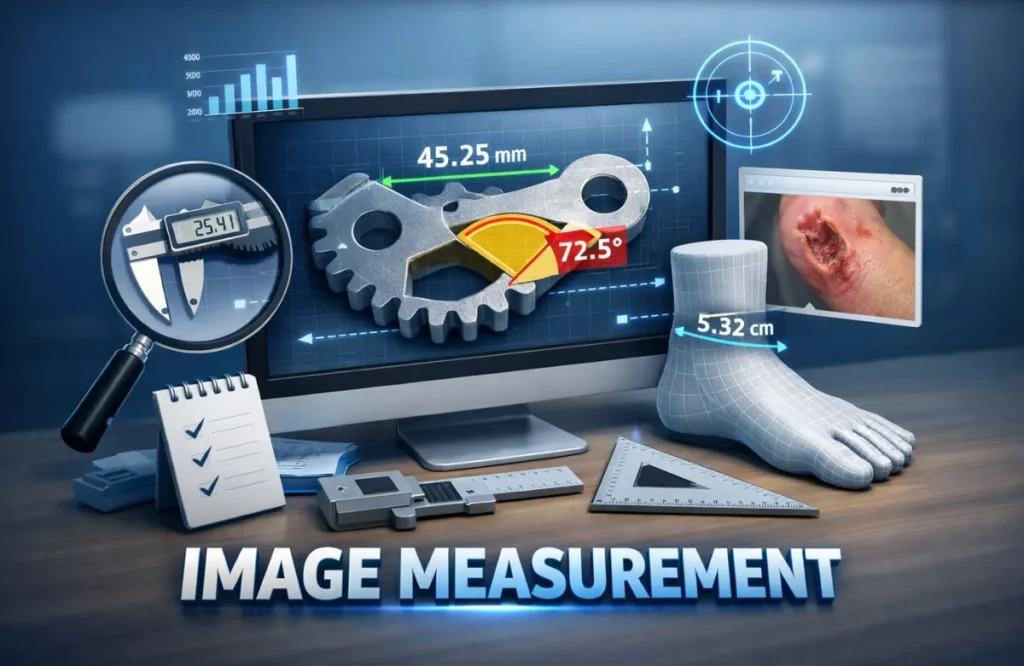
Image measurement is the process of extracting dimensional data from digital photographs or scans. You can measure length, area, angles, and distances directly on your screen with specialized software or online tools.
This technology matters because it brings laboratory-grade precision to everyday work. Engineers verify part dimensions without physical contact. Medical professionals track wound healing over time.
The benefits over traditional methods are substantial. Digital measurement is faster, more consistent, and creates permanent records. You can measure objects that are difficult to access physically. Quality control studies show companies reduce inspection time by 67% using image-based systems.
Essential Image Measurement Techniques You Need to Know
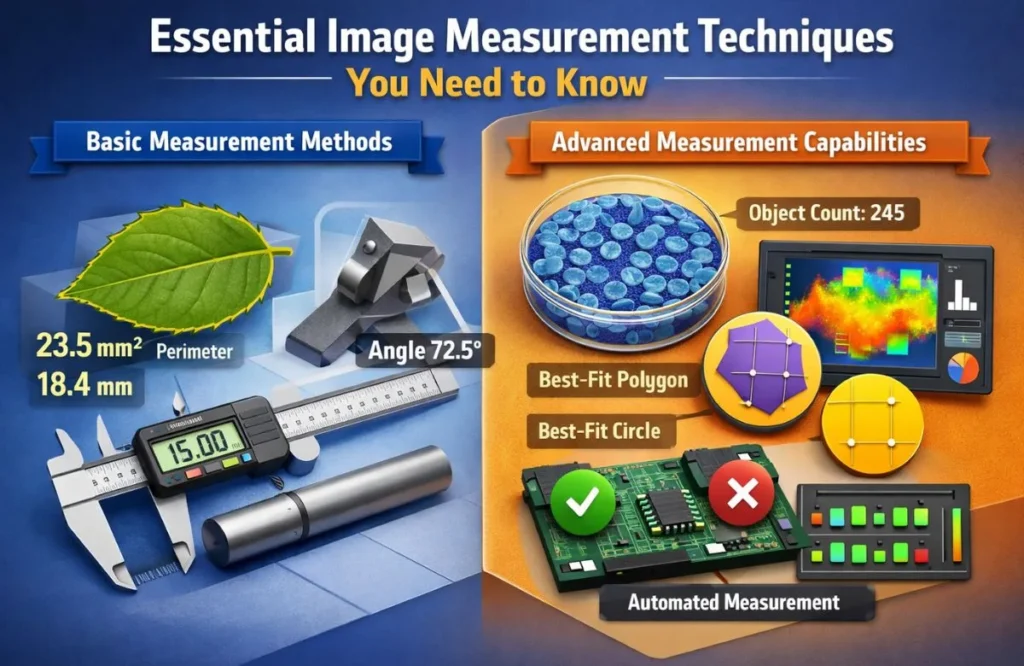
Basic Measurement Methods
Length and distance measurement forms the foundation of image analysis. You calibrate using a known reference—like a ruler—then draw lines to measure anything else.
Area and perimeter calculations work similarly. Draw around an object’s boundary and get instant measurements. This tracks changes over time in fields or medical tissue areas.
Angle measurements verify alignments and orientations. Manufacturing uses this for quality control. The calibration process ensures accuracy within 0.5-2%.
Advanced Measurement Capabilities
2D measurements handle complex shapes basic tools can’t capture. Best-fit circles and polygons adapt to irregular objects with auto-detect edges for consistency.
Intensity and color measurements extend beyond dimensions. Analyze brightness patterns or color variations. Food manufacturers verify product consistency while medical imaging identifies abnormalities.
Multi-object tracking processes hundreds of items in one image. Count microscopic cells or verify assembly patterns. Automated measurement eliminates errors and processes datasets in minutes.
Top Industries Using Image Measurement Technology

Manufacturing and quality control departments use image measurement software for non-contact inspection. Automotive plants verify weld dimensions while electronics manufacturers check circuit boards. Industry research shows 78% of manufacturers now use digital measurement.
Medical and healthcare applications include wound assessment and diagnostic imaging. Doctors track healing with calibrated photographs while pathologists measure cellular structures for precise diagnosis.
Materials science researchers analyze microstructures and crystal formations. Universities rely on measurement tools for publications. Digital methods provide 40% better reproducibility than manual techniques.
Construction and engineering teams measure building dimensions from photographs. Site managers verify excavations and document progress. Architects create as-built drawings using 2D measurement capabilities.
Agriculture specialists measure crop health and field boundaries from aerial imagery. Farmers optimize irrigation by measuring coverage areas. Precision agriculture increases yields by 15-20% through spatial analysis.
How to Choose the Right Image Measurement Tool

Supported file formats determine what images you can analyze. Professional tools handle TIFF, PNG, JPEG, DICOM for medical imaging, and RAW camera files. Microscopy applications often require proprietary formats like CZI or ND2 support.
Calibration options range from simple scale bars to automatic recognition of known objects. Better software offers multiple calibration methods—spatial calibration for microscopy, GPS data for aerial imagery, or reference object detection. This flexibility ensures measurement accuracy across different scenarios.
Data export capabilities matter for reporting and analysis. Look for Excel integration, PDF reports, and database connectivity. Professional environments need batch processing to measure multiple images automatically. The ability to generate statistical reports saves hours of manual data compilation.
Image Size Measurement- Width, Height, File Size
Drag and drop images here
or
or paste from clipboard (Ctrl+V)
Performing Your First Image Measurement
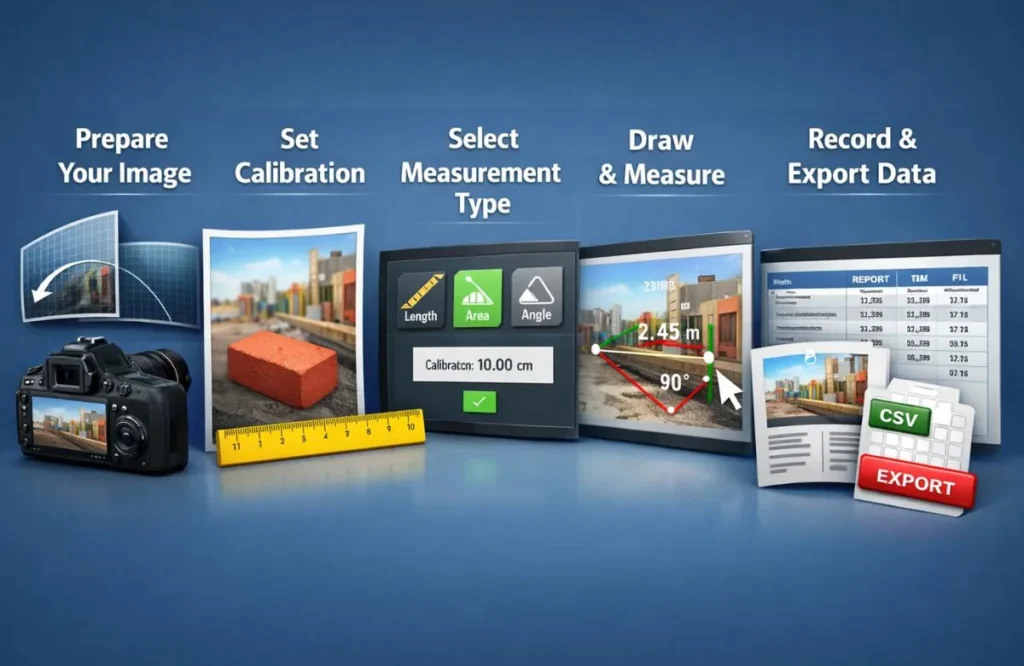
Step One – Prepare Your Image: Use the highest resolution available with good lighting and sharp focus. Image quality directly impacts accuracy. Remove lens distortion from wide-angle shots.
Step Two – Set Calibration: Place a ruler or known-size object in your image. Tell the software the real-world distance to establish the pixel-to-unit ratio.
Step Three – Select Measurement Type: Choose length, area, angle, or specialized measurements. Pick the option matching your analysis needs.
Step Four – Draw and Measure: Click to place measurement points. The software calculates automatically. Use snap-to-edge features for consistent results on clear boundaries.
Step Five – Record and Export Data: Save measurements in a data table or spreadsheet. Export reports with overlays for documentation and trend analysis.
Question’s
Can I measure images on my phone or do I need special software?
Basic measurements work on smartphones using browser tools or apps. However, professional work requiring precision analytics, batch processing, or advanced reporting benefits from dedicated measurement software on computers with larger displays.
Do I need to calibrate every image before measuring?
Yes, calibration is essential for accurate real-world measurements. Without it, you only get pixel counts, not actual dimensions.
What image size do I need for accurate measurements?
Minimum 1920×1080 pixels for general work. Scientific and medical applications need 3000+ pixels in the measurement direction for sub-millimeter precision.
Does file size affect measurement accuracy?
File size itself doesn’t affect accuracy—pixel dimensions and image quality matter most. However, heavily compressed small files lose detail that impacts precision.
Can I measure low-resolution images?
Yes, but accuracy decreases with resolution. A 640×480 image provides ±5% accuracy at best, while 4000×3000 images achieve ±0.5% with proper calibration.
Conclusion
Image measurement delivers precision, speed, and documentation that traditional methods cannot match. From manufacturing floors to research laboratories, this technology has become indispensable for accurate analysis.
Start with basic measurement techniques using free tools, then advance to professional software as your needs grow. Proper calibration and quality images ensure reliable results every time. The investment in digital measurement pays dividends through improved accuracy and efficiency.
Read More: Full Size Mattress Measurement: Dimensions & Fit (2026)

Hi, I’m Burhan Ali, the admin and author of PD Measurement. I write simple and clear blogs about PD measurement, measuring tools, and accurate sizing guides. My goal is to help readers understand measurements easily and make better decisions with confidence.